
PoE vs WiFi Security Cameras
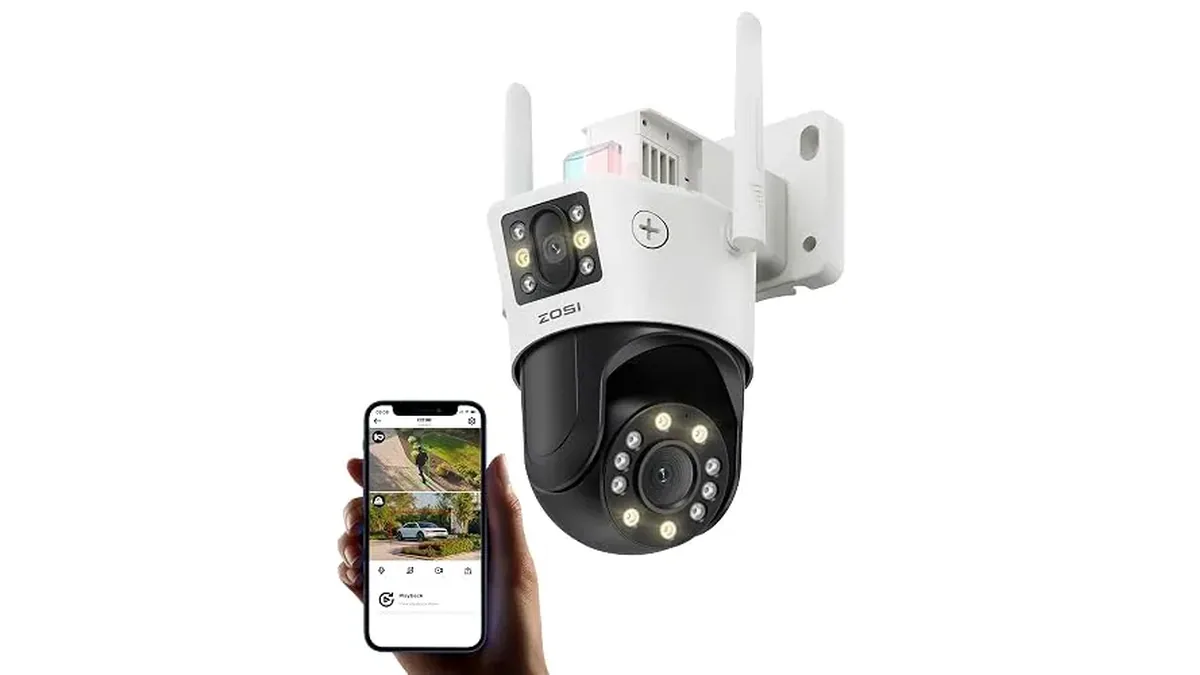
The question is really about cables. A PoE camera gets power and video through one Ethernet cable from the recorder. A WiFi camera sends video over your wireless network, but it still needs power from somewhere: an outlet, a solar panel or a battery. Which one is easier depends on your house more than on the camera.
How they compare
| PoE (wired) | WiFi | |
|---|---|---|
| Cables | One Ethernet cable per camera, for power and video | Power cable or solar panel, no data cable |
| Where video goes | The NVR's hard drive, around the clock | Memory card, the cloud, or a ZOSI NVR |
| Reliability | Not affected by WiFi signal or router load | Depends on signal strength at the mount |
| Install effort | Running cables through walls, attic or soffits | Mount, power, pair in the app |
| Good for | Whole-house systems, 4 to 16 cameras | One to a few cameras, rentals, hard-to-wire spots |
PoE: more work once, less fuss after
ZOSI's PoE kits, like the C186 8CH kit, run one Ethernet cable per camera back to the NVR. That cable carries both power and video, so no camera needs an outlet nearby. ZOSI pitches the wired link as stable enough for 24/7 recording, and since nothing goes over WiFi, a busy router or a thick wall doesn't drop the feed.
The NVR records to its own drive. The C186 kit records 24/7 to its 2TB drive, overwrites the oldest footage automatically and backs clips up over USB. No subscription is needed for that.
The cost is in the install: you have to get cable from each camera spot to the recorder. In a house with an accessible attic, that's a weekend. In a finished home with no attic access, it can be hard.
WiFi: quick to place, check the signal
A WiFi camera like the C298 4K 8MP Dual-Lens PTZ needs power at the mount and a good 2.4GHz WiFi signal. ZOSI says it connects over 2.4GHz only, so check that your router's 2.4GHz band reaches the spot before you drill. It can record to a memory card up to 128GB, to a ZOSI NVR, or to cloud storage.
The C291 Solar Wireless PT goes one step further: solar power, so there's no cable at the camera at all. Our C291 solar setup guide covers mounting it.
Which to choose
- Four or more outdoor cameras on a house you own: PoE. The single-cable install pays off.
- One or two cameras, or a rental: WiFi.
- A spot far from the house, like a shed or gate: solar WiFi, if the WiFi signal reaches.
- Weak WiFi at the edges of the property: PoE, or move the router or add a WiFi extender before you commit.
You can also mix the two. ZOSI lists a ZOSI NVR as one of the C298 WiFi camera's recording options, so a wireless camera can sit alongside a wired kit.
For how channels and recorders work, see NVR vs DVR: how many channels, and for every kit, How to Choose ZOSI Security.
Planning cable runs for PoE
Sketch the path from NVR to each camera before you buy cable. Measure wall cavities, attic runs and outdoor conduit needs. PoE cameras need Ethernet that can carry both data and power from a PoE switch or NVR port. Budget for weather-rated cable outdoors and for neat drip loops at exterior boxes.
WiFi kits trade that cable work for placement flexibility near strong wireless coverage. Walk the property with a phone WiFi meter before you mount; a camera at the far corner of a yard often needs a better access point more than it needs a higher megapixel claim.
When mixed installs make sense
Some homes run PoE on the house perimeter where cable is easy and add a WiFi camera at a detached shed where trenching is painful. Keep both systems' apps and recording destinations clear so you know which clip lives where. ZOSI kit pages list which cameras ship with which recorders; match the kit language instead of mixing random camera models.
First weekend checklist
- Update firmware from the official path the kit documents.
- Set strong passwords and disable default ports you do not need.
- Aim cameras to cover doors and drive paths without pointing into a neighbor's window.
- Test night vision after dark, not only at noon.
- Confirm local recording works before you rely on remote viewing alone.
Compare PoE and WiFi kits from the ZOSI review hub and camera guides on this site. Product pages carry the live channel counts, resolution and storage options for each kit.
Recording and storage basics
Decide whether clips stay on an NVR hard drive, a microSD card, or both before you mount cameras. PoE kits often center on the NVR; WiFi kits may lean on card storage plus app viewing. Size the drive or card for how many days you want to keep. Re-check retention after the first week of motion events so you are not surprised when old clips roll off.