
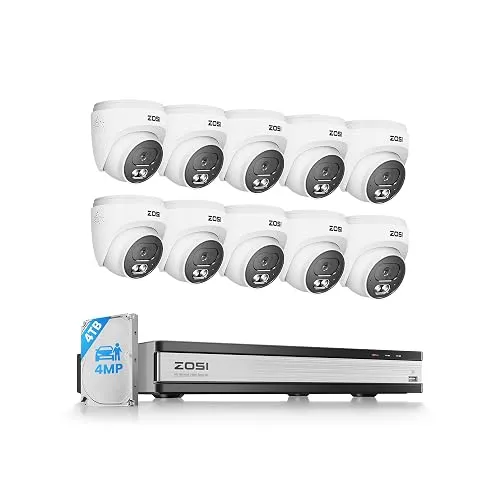
PoE dome kit
C220 16CH 4K NVR, 10×4MP Domes, 4TB
C220 kit with a 16-channel 4K NVR, ten 4MP audio PoE domes and a 4TB drive. 100ft night vision, two-way talk and person and vehicle alerts, with six channels left free.
A guide to ZOSI PoE NVR kits, pan-tilt cameras, domes, and bullets.
PoE dome kit
C220 kit with a 16-channel 4K NVR, ten 4MP audio PoE domes and a 4TB drive. 100ft night vision, two-way talk and person and vehicle alerts, with six channels left free.
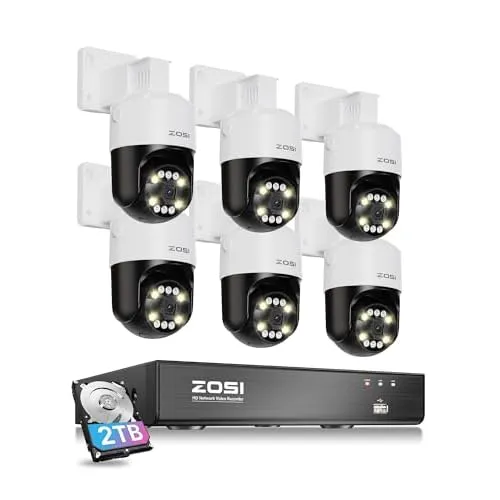
Pan-tilt PoE kit
C296 kit with an 8-channel 4K NVR, six 5MP pan-tilt audio cameras and a 2TB drive. Each camera turns 355°, tracks movement and can sound a siren and flash its light.
The ZOSI range splits into four groups: complete wired PoE kits (C220 fixed domes, C296 and C290 pan-tilt, C186 bullets, C298 dual-lens, plus 5MP starter systems), a coax DVR kit, add-on cameras for a ZOSI recorder you already own, and standalone WiFi, solar and indoor cameras. This guide starts with what you need to watch, then wiring, then camera count, resolution and storage.
Ask what each camera has to see. Porches, front doors and garage doors suit fixed domes, which hold one steady view and sit neatly under an eave (C220). Driveways, lawns and parking areas suit pan-tilt cameras that sweep and follow movement (C296, C290). Fence lines and long side paths suit bullets, which aim down a line like a flashlight (C186). Rooms and windows are a separate job for indoor WiFi cameras (C518, C680).
A solar camera doesn't record around the clock the way a PoE recorder does, so don't plan it as a like-for-like swap.
Three numbers in every kit name do different jobs. Channels are how many cameras the recorder can take. Cameras are how many come in the box. Drive size sets how much footage you keep. A 16-channel recorder with eight cameras, like the C220 16CH 4K NVR, 8×4MP Domes, 4TB, leaves eight inputs free. A kit with every channel filled, like the C220 16CH 4K NVR, 16×4MP, 4TB, covers more on day one but needs a PoE switch before you add more, where ZOSI supports one.
| Need | Lean toward |
|---|---|
| Many fixed views, discreet domes | C220 4MP or 8MP kits |
| Fewer cameras that sweep and track | C296 5MP or 8MP pan-tilt kits |
| Many pan-tilt cameras on a large site | C290 16 × 8MP kit |
The C220 Fixed Domes vs C296 Pan-Tilt comparison goes through the trade-offs in detail.
C220 domes and the C290 cameras use infrared at night, which records black and white; ZOSI rates them to 100ft. The C296, C186 and C298 cameras keep color in very low light, which helps when you need to describe clothing or a car. The 5MP bullet kits reach 120ft on infrared and the 5MP dome kit 80ft.
Full kits name an NVR, cameras and a hard drive together. Add-ons, such as the 5MP 3K Add-on PoE Dome, the C186 5MP PoE Audio Bullet and the C290 4K 8MP PoE PT (2-Pack), work only with a ZOSI PoE NVR and need a free port. The 4-Pack 2MP HD-TVI Domes are the exception: analog cameras for an HD-TVI or hybrid DVR.
| Job | Open first |
|---|---|
| Fixed multi-dome PoE kit | C220 16CH 4K NVR, 10×4MP Domes, 4TB |
| Pan-tilt PoE kit | C296 8CH 4K PoE, 6×5MP Pan-Tilt, 2TB |
| Bullet system | ZOSI Bullet Camera Systems |
| Indoor window camera | C680 2K 3MP WiFi Window Cam (4-Pack) |
| No cables at all | C291 4×4MP Solar Wireless PT |
For PoE kits, sketch each Ethernet run from the recorder to the mount before you order, and leave space around pan-tilt cameras so they can turn without hitting a wall or soffit. Count free channels if you plan to grow. For storage, a 2TB drive fills faster than 4TB when many cameras record 24/7 at high resolution; recording on motion for quiet views stretches it. Most ZOSI kit recorders take a larger drive, up to 8TB according to ZOSI. For WiFi and solar cameras, check signal strength at each mounting spot and, for the C291, a sunny place for the panel.
Aim cameras at your own doors, drive and yard rather than the street or a neighbor's windows. The C220, C105 and C680 support privacy masks or zones that blank out part of the view, and detection zones cut down on alerts from passing traffic. Mount outdoor cameras high enough to be out of reach and angle them slightly down so faces fill the frame.
1. Can you run Ethernet outdoors? Yes → a PoE kit (C220, C296, C290, C186). No → C291 solar or C298 WiFi. 2. Mostly doors and porches? → C220 fixed domes. 3. Open driveway or yard? → C296, or C290 for many cameras. 4. Fence line or side path? → C186 bullets. 5. Indoors behind a window? → C680. A whole room? → C518. 6. Adding to a ZOSI PoE recorder you own? → an add-on camera, not a second kit.
Count the Ethernet runs you can make, the views you need on day one and the ones you might add later. That number points you to an 8- or 16-channel recorder, and the job of each view points you to a dome, a bullet or a pan-tilt camera. Ordering and pricing questions are answered in the FAQ. With your camera count and cable plan settled, compare the matching ZOSI PoE camera kits side by side.