
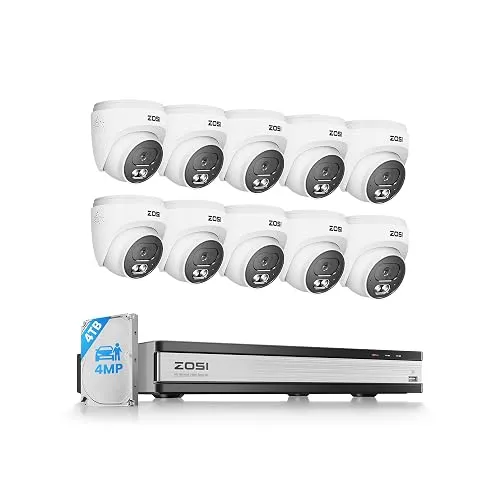
PoE dome kit
C220 16CH 4K NVR, 10×4MP Domes, 4TB
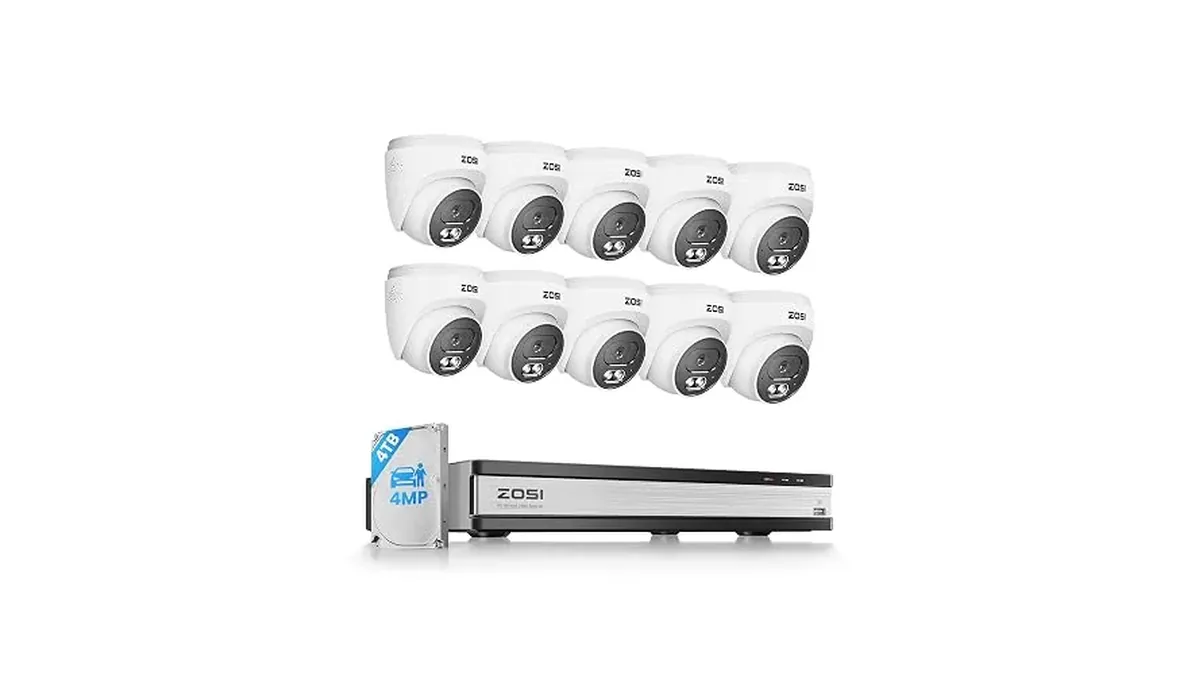
C220 kit with a 16-channel 4K NVR, ten 4MP audio PoE domes and a 4TB drive. 100ft night vision, two-way talk and person and vehicle alerts, with six channels left free.
PoE dome kit
C220 kit with a 16-channel 4K NVR, ten 4MP audio PoE domes and a 4TB drive. 100ft night vision, two-way talk and person and vehicle alerts, with six channels left free.
Is there a ZOSI Smart app for PC? Yes, but the computer version has a different name. On a phone or tablet you use ZOSI Smart. On a Windows PC or a Mac you use AVSS, which ZOSI describes as bringing the ZOSI Smart app to your desktop. The good part is that one account works on both, so you set the system up once and then add screens.
The table below compares the three, and the sections after it walk through each one. Everything here comes from ZOSI's help center articles and quick start guide. ZOSI updates both apps from time to time, so screen labels can shift a little between versions.
Swipe sideways to see the whole table →
| Phone or tablet | Windows PC | Mac | |
|---|---|---|---|
| App | ZOSI Smart (App Store, Google Play) | AVSS PC client | AVSS Mac client |
| Sign-in | Your ZOSI Smart account | Same account | Same account |
| How the recorder is added | Scan the Device ID QR code, or type the ID | Device ID, or LAN add on the same network | Device ID, or LAN add on the same network |
| Live view | Up to 16 cameras at once (1, 4, 9 or 16 split) | Pick a layout, then double-click channels | Same as Windows |
| Best for | Alerts and quick checks away from home | Long viewing sessions and playback on a big screen | Same as Windows |
Two limits apply whichever screen you use. ZOSI says you can add as many ZOSI cameras and recorders to the app as you need, but live view tops out at 16 cameras at once. And one system can be viewed from up to five phones at the same time, though ZOSI advises against piling on viewers because the stream can slow or stop.
None of the apps can reach a recorder that isn't on the internet. ZOSI's setup steps start here:
The Device ID, also called the UID, is a 20-character code that usually ends in "111A". ZOSI lists five places to find it: the sticker on the recorder, the setup wizard after a reboot, the System information screen, the device info page in ZOSI Smart, and the device management page in AVSS. If you bought a kit, the cameras don't have their own UID. You add the recorder, and its cameras come with it.
One field trips people up. The password the app asks for when you add the recorder is the recorder's password, not your app account password. If you see "password error", that's the first thing to check.
For viewing on mobile data, ZOSI says to allow all the app's permissions, including Background App Refresh on an iPhone. On Android, check Settings, Data Usage, Data Saver.
ZOSI publishes AVSS for both Windows and Mac. Its help center links the current downloads.
A stream can take several seconds to load, and ZOSI notes that each extra camera you open at once adds to that. For recorded footage, the quick start guide's route is Playback, then device, channel, date and time.
If AVSS on a Mac only shows a quarter of the picture, ZOSI's fix is to download the latest version.
You don't need to hand out your login. In ZOSI Smart, open the recorder's Device Settings page and tap Share to get a sharing QR code. ZOSI says you can still find this code even when the recorder can't connect. Others scan it in ZOSI Smart on their own phones. Keep the five-phone limit in mind.
Work down this list before you contact support:
ZOSI matches apps to models, and its PoE NVRs use ZOSI Smart on phones and AVSS on computers. ZOSI's PoE kits name both. The C220 16CH 4K NVR, 10×4MP Domes, 4TB lists remote access through ZOSI Smart or the AVSS client without a mandatory subscription fee. The 8CH 4K PoE, 4×5MP, 2TB lists ZOSI Smart for phones and AVSS Client for tablets and computers, with no additional fees.
WiFi cameras are added on their own. The C298 4MP Dual-Lens PT WiFi works through ZOSI Smart and can share access with family members, and it can record to a memory card, a ZOSI NVR or cloud storage.
If you're still choosing a system, ZOSI NVR Security Kits and ZOSI PoE Camera Kits list them by channel count and camera type, and NVR vs DVR: Which Recorder Do You Need helps you size one. Our ZOSI review puts the whole range on one page.