
ZOSI C296 Installation: Mounting the Pan-Tilt Cameras
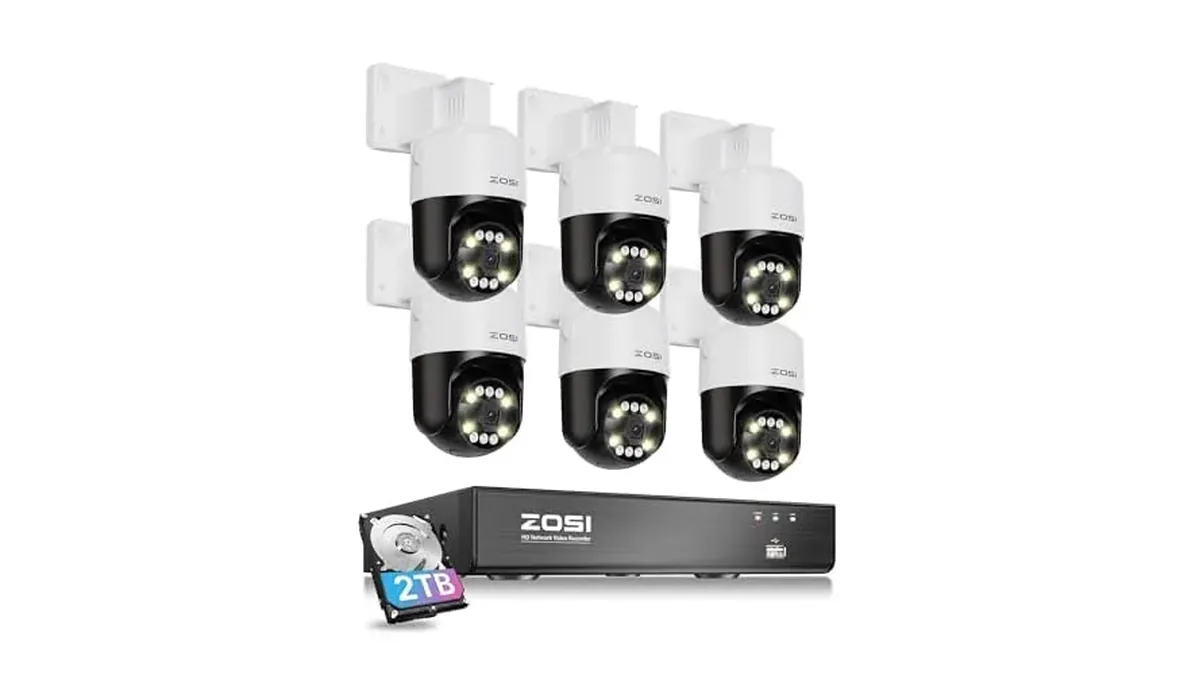
A pan-tilt camera is less forgiving of a bad mount than a fixed dome. It's going to swing through 355° and tilt through 140°, and its person detection depends on how high it sits and how steeply it looks down. The C296 8CH 4K PoE, 6×5MP Pan-Tilt, 2TB kit gives you six of these cameras, so it pays to get the numbers right on the first one and copy them to the rest. Everything below comes from ZOSI's quick start guide for the C296 camera.
The three numbers that matter
Swipe sideways to see the whole table →
| Measurement | ZOSI's guidance |
|---|---|
| Mounting height | 8 to 16 ft (2.5 to 5 m) above the ground |
| Downward tilt | About 30° to 60° from horizontal |
| Best detection range | Objects 5 to 50 ft (1.5 to 15 m) from the camera |
ZOSI adds that detection accuracy also depends on the person's height and distance, and drops at night. Treat 50 ft as the edge of reliable detection, and keep the areas you care most about well inside it.
Spots to rule out first
Walk the property with the guide's warnings in mind and cross off any mount that breaks one:
- Facing the sun or another strong light source
- Pointing at a window, glass door or anything reflective. The camera's own infrared LEDs, its status lights and nearby lamps bounce back and wash out the picture.
- Mounted in shade while looking at a bright area. ZOSI wants the camera and the subject in the same lighting.
- Where rain or snow can hit the lens directly
- Close to microwaves, TVs, cordless phones or baby monitors, which can interfere with the signal
- A position where the power port could get wet or blocked with dirt
For a pan-tilt camera, also check the swing before you drill. Look for gutters, soffits and downpipes the housing could hit as it turns.
Mounting one camera
- Hold the mounting template on the wall at your chosen height and drill the holes it marks. Use the anchors from the box if the wall needs them.
- Run the Ethernet cable through the cable notch in the mounting base, so the base sits flat against the wall.
- Screw the camera bracket to the wall with the supplied screws.
- Aim the camera down to between 30° and 60° below horizontal.
- Repeat for the other five cameras, keeping the height and tilt consistent where the views are similar.
Connecting the kit
Each camera takes one Ethernet cable for both power and data. Plug all six into the PoE ports on the back of the 8-port NVR. When a PoE camera is on a ZOSI PoE NVR, ZOSI says to set it up through the NVR's own interface rather than the phone app. The two spare ports take more cameras later, and an optional PoE switch takes the system to 16 channels.
In very cold weather, the cameras can run down to about -10°C (14°F), because they warm themselves once powered. ZOSI suggests powering a camera indoors for a few minutes before you mount it outside in the cold.
If something isn't right
A camera won't power on
Move its cable to a different PoE port on the NVR. If it still stays dark, try another Ethernet cable. A C296 can run from a PoE NVR, a PoE switch or injector, or a 12V 1A power adapter, so a known-good adapter is a quick way to test the camera on its own.
The picture is blurry
Check the lens for dirt or dust and wipe it with a soft, clean cloth. If that doesn't help, update the camera's firmware, then reset it to factory settings by holding the reset button for 5 seconds.
A camera keeps dropping off
Check the cable for damage and make sure the NVR port works with another camera. Then check that the camera's firmware is up to date. If the camera shows live video but nothing is saved, see ZOSI NVR not recording.
For the wider planning job, such as which zone needs which camera, see How to Plan Security Camera Placement. Adding a camera that didn't come in the kit is covered in How to Add a Camera to Your ZOSI NVR. The full kit verdict is in our C296 pan-tilt kit review.